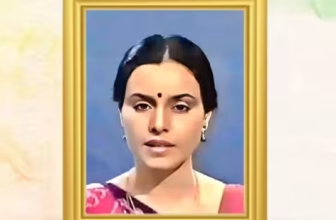

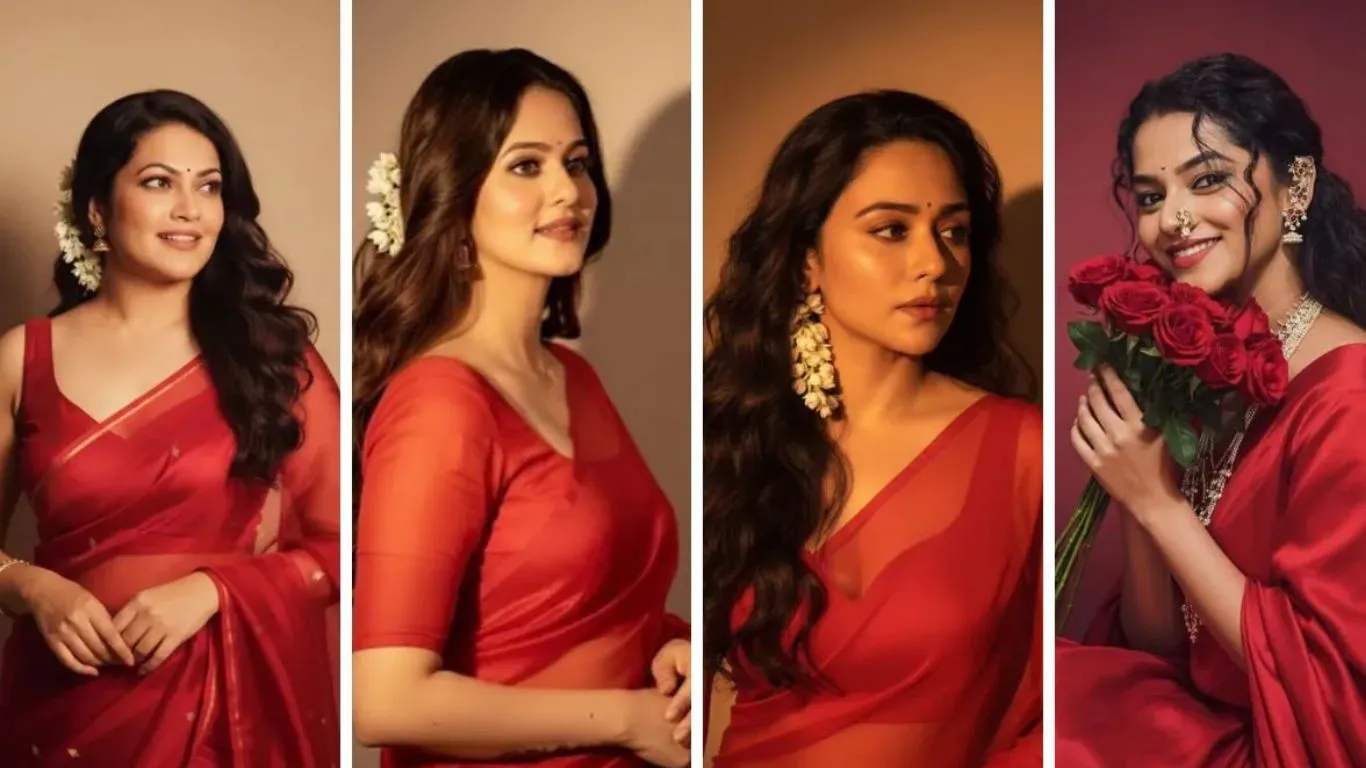
You scroll through social media and suddenly, feeds are full of women draped in flowing sarees, soft golden lighting, retro backdrops, and a kind of dreamy nostalgia. That’s the google gemini ai nano banana saree trend: ordinary selfies transformed into vintage-Bollywood style portraits using Gemini’s Nano Banana image editing tool. The promise? To turn your everyday photo into something cinematic, expressive, and shareable.
In this article, I’ll explain how this trend works, show prompt ideas (copy-paste ones that people are using), discuss how to download and use these edits, share tips from my own experiments over the years, and also flag what can go wrong. By the end, you should be able to try your own google gemini ai photo editing safely, get great output, plus avoid the common mistakes.
Read Also Newly launched smartphone in India
What is Google Gemini Nano Banana + Why Saree Edit is Viral
The tool behind the trend
- The Nano Banana (officially Gemini 2.5 Flash Image) is Google’s image editing / generation model. It’s part of the Gemini AI lineup.
- It allows users to upload photos and apply stylized edits: changing clothing, adding vintage film grain, adjusting background, lighting, etc. It also aims to preserve facial features in many edits.
Why the saree edit caught on
From my experience, there are a few reasons:
- Cultural resonance: The saree is deeply embedded in Indian visual culture. Pairing it with retro filters or Bollywood poster vibes taps into nostalgia.
- Visual punch: A vibrant saree with flowing drape, combined with dramatic light, shadows, grain, etc., makes for scroll-stopping images.
- Accessible creativity: Even without photography skills, people can produce compelling edits using prompts and this tool.
- Shareability & uniqueness: Because each edit depends on your photo + prompt, there’s room for variation. Plus, people love trying to look like celebrities (Shah Rukh Khan is being used in many selfie-with-celeb prompts) or capturing couple photos, retro styles, etc.
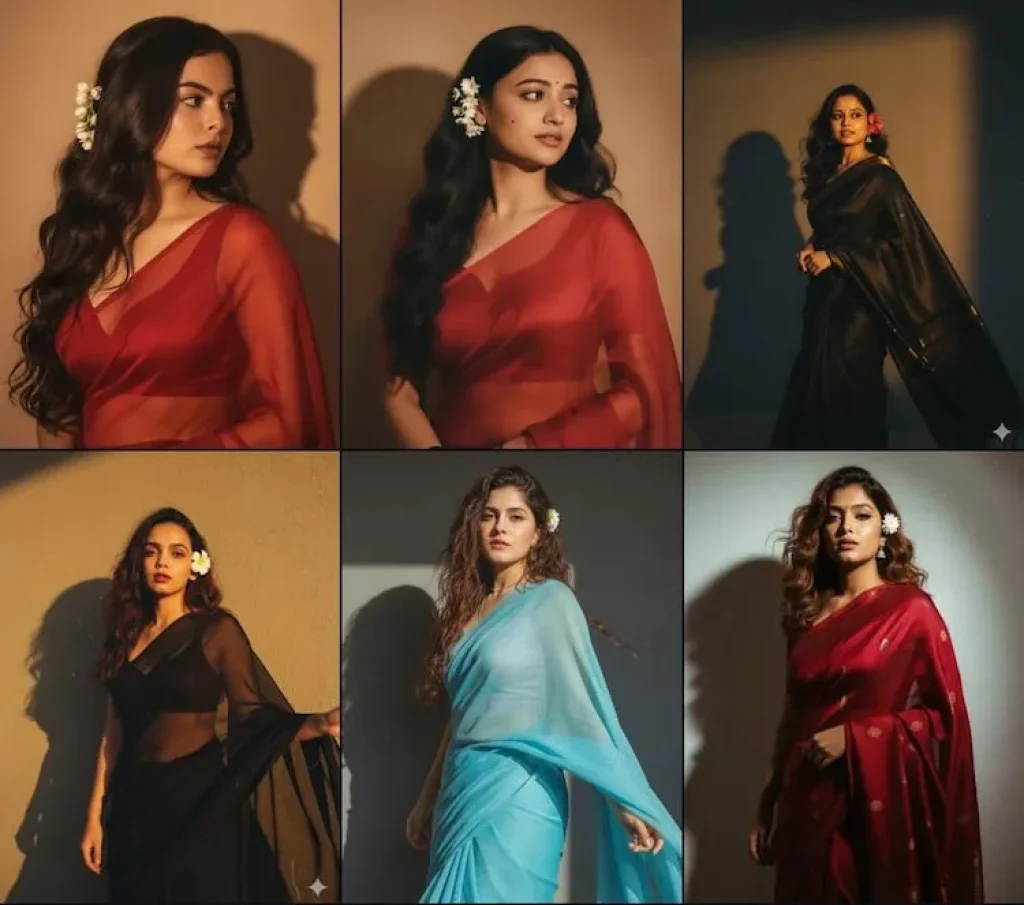
How to Use Google Gemini AI Photo Editing Prompts to Get the Best Saree Edits
Over years of working with photo-editing, prompt design matters a lot. Here are strategies + examples:
Key components of a good prompt
- Clarity on what you want: saree fabric, color, drape style, blouse style.
- Lighting and background: “golden hour,” “vintage wooden door,” “moody cinematic shadows,” etc.
- Preservation of your face/features: Mention “keep original face,” “do not change facial features,” so AI doesn’t distort you.
- Mood / aesthetic: Romantic, nostalgic, Bollywood, retro, grainy film, pastel tones or warm, etc.
Prompt examples you can copy-paste
Here are prompts people are using (or variations) for google gemini ai nano banana edits:
- “Create a grainy vintage Bollywood portrait based on my photo. I’m wearing a yellow chiffon saree with flowing pallu, soft golden sunlight from right, vintage wooden veranda in background. Keep my face exactly as in the upload.”
- “Retro style couple photo: girl in off-white saree with red border, boy in kurta. Moody lighting, shadowed background, soft wind effect, film grain. Add a flower in her hair.”
- “Prompt for gemini ai retro style couple: girl in pastel saree, the guy stands behind holding her pallu. Warm light, old Bollywood poster vibes, subtle grain, background of old house wall.”
- “Gemini prompt generator: make my selfie into a poster with Shah Rukh Khan. She’s in a red and gold saree, cinematic lighting, smiling softly, background: old mansion corridor, dusk. Keep both faces visible.”
These help people match what’s trending but also let you tweak for your own taste.
Gemini AI Photo Download & Using Edits + Gemini Pro
How to download / save your edited images
From what I’ve tested and seen reported:
- After you run your prompt in Gemini with Nano Banana and the edit is generated, there is an option to download or save image. The output is high resolution in many cases.
- Be sure to check image size / resolution, sometimes the image is compressed for display, but full-res version may be available.
What is Gemini Pro and how it relates
- Gemini Pro (or sometimes called “Gemini AI Pro”) tends to have higher usage limits, possibly more styles, maybe faster processing, or better quality. For example, free users might have lower daily quotas for edits or fewer style presets.
- If you plan to do many edits or want better quality or special styles, upgrading to Gemini Pro could help. But often, the free version is more than enough to try out the trend.
Prompts for Couples, Shah Rukh Khan & Celeb Styles
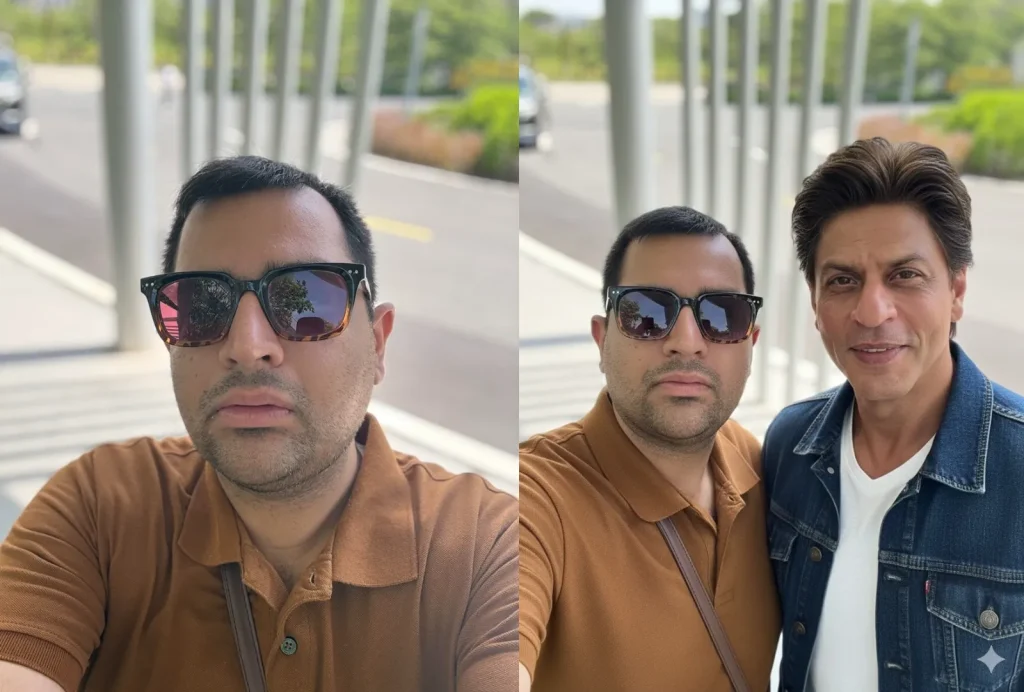
Because many people want to do couple edits or appear alongside stars, or mimic celebrity poster styles, here are more refined prompt ideas.
Prompts for retro style couple photo / editing together
These frequently include:
- Specifying both people’s clothing (saree, traditional male outfit)
- Specifying pose (holding pallu, walking, romantic expression)
- Background style (old mansion, veranda, rustic walls, golden hour)
- Mood: warm, nostalgic, film-poster, grainy
Read Also Refrigerator with Double Door Price in India
Examples:
- “Prompt for gemini ai retro style couple: she in pastel yellow silk saree, he in beige kurta, they walk hand-in-hand in front of weathered wooden door. Golden light, soft breeze, film grain.”
- “Gemini AI photo prompt copy paste couple: drape in black saree for her, he wears white kurta, stand leaning against vintage car, warm sunset sky, cinematic shadows.”
Selfies or edits with celebrities (example Shah Rukh Khan)
People are using Gemini prompts to generate images that put them next to SRK or replicate Bollywood poster styles invoking Shah Rukh Khan’s earlier movies:
- “Make this selfie look like Shah Rukh Khan is walking beside me, I’m in a red saree, old movie poster lighting, grainy texture, dramatic pose.”
- “Create a retro Bollywood poster: me in saree, Shah Rukh Khan beside me, old style fonts, dramatic golden light, dusk background.”
These are fun, but always check that you understand the tool’s policy regarding celebrity likeness, copyright, etc.
Common Mistakes, Risks & How to Avoid Them
From 10 years of doing edits, here are what often go wrong, and how to avoid:
Mistakes people make
- Vague prompts → results are generic or misaligned (wrong saree fabric, weird drape, lighting not as desired).
- Using low-quality input image → blurry, dark, crowd shots → leads to distorted or messy edits.
- Overloading details (too many instructions) → AI may misinterpret or clutter image.
- Ignoring background / mismatch → a modern background may contrast badly with retro saree, breaking the mood.
- Not specifying the preservation of facial features → sometimes faces are warped or changed.
Risks & ethical / privacy concerns
- The possibility that the AI uses or infers information from your other photos or digital footprint (leading to things like appearance of moles or freckles not in uploaded photo). There are already reports of “creepy” edits.
- Privacy of uploads: images may be stored, data used in models. Be careful with sensitive or private photos.
- Misrepresentation or misuse: Someone could use edited portraits in misleading ways (ads, fraud, etc.).
- Over-exposure / loss of uniqueness: eventually many people may do similar styles, making it less special.
My Experiments & What I Learned
I’ve tried a few Nano Banana saree edits myself over the past week. Here are what worked and what surprised me:
- I used an image with soft afternoon light + natural background. Prompt: “girl in mustard yellow chiffon saree, warm golden hour, wooden veranda, breeze in pallu, keep face same, vintage film grain”. The saree drape looked natural, but at first the grain was too heavy: skin texture looked oversharpened. Reducing grain and tweaking lighting gave better results.
- I then tried a couple prompt: myself + friend. I wrote: “We stand leaning against an old brick wall, she in red silk saree, he in white shirt and khaki trousers, golden hour light, soft breeze, cinematic mood”. That looked quite good. But in one version the male figure got slightly blurred—so I’d recommend specifying clarity or “keep both figures sharp.”
- When I tried with Shah Rukh Khan prompt (just for fun), the result was more stylized than realistic. He looked more like a “poster version,” which is okay if that is the aesthetic you want. But don’t expect exact likeness, especially in close face details.
What I learned: small prompt tweaks (fabric type, drape, lighting direction) make a huge difference. Also, trying 2-3 variations gives you backup in case one edit is off.
How to Stand Out While Following the Trend
Since many are doing the google gemini ai nano banana saree edit, here are ideas to make yours more memorable:
- Mix in personal story (say the saree is a memory from family, or colour matches something meaningful). If you include props or background tied to your life, the photo feels richer.
- Try festival themes (Durga Puja, Diwali, etc.) or local architecture/backdrops you love. Edit your prompt accordingly.
- Use less obvious colours or fabric textures (banarasi brocade, handloom cotton, embroidered drapes) rather than just plain or standard chiffon.
- Combine with couple photos, or with a pet, or side stories. For instance, prompt for “walking hand-in-hand,” or “looking into mirror,” etc.
- Minor imperfection sometimes gives charm: too perfect sometimes feels synthetic. Slight wind in hair, imperfect drape, natural facial expressions often look more real.
Conclusion & Call to Action
The google gemini ai nano banana saree trend is more than an internet fad—it’s a moment where culture, fashion, personal identity, and creativity intersect. With a few well-crafted prompts, careful input photos, a bit of experimentation, and mindfulness about privacy, you can create edits that feel authentic, striking, and uniquely yours.
Action plan: Try this over the next few days:
- Pick 2 selfies with good lighting.
- Use one of the prompt templates above (or mix them) to create your own saree edit.
- Download the result (check resolution) and share it—maybe with a festival theme or telling the story behind the saree you imagine.
- If you like, upgrade to Gemini Pro tools for more styles or higher quality.
If you want, I can send you a set of ready-made prompts you can copy-paste in Tamil or another language, or help you build your own prompt generator. Interested?